
How can I activate the Plugin dialler?
To activate the option, Navigate to Main Settings in your Account--> Calls section--> Toggle On the Plugin dialer.

Note: Please ensure the Klenty Plugin is installed and logged in and the Salesforce is connected to your Klenty Account.
In Salesforce,
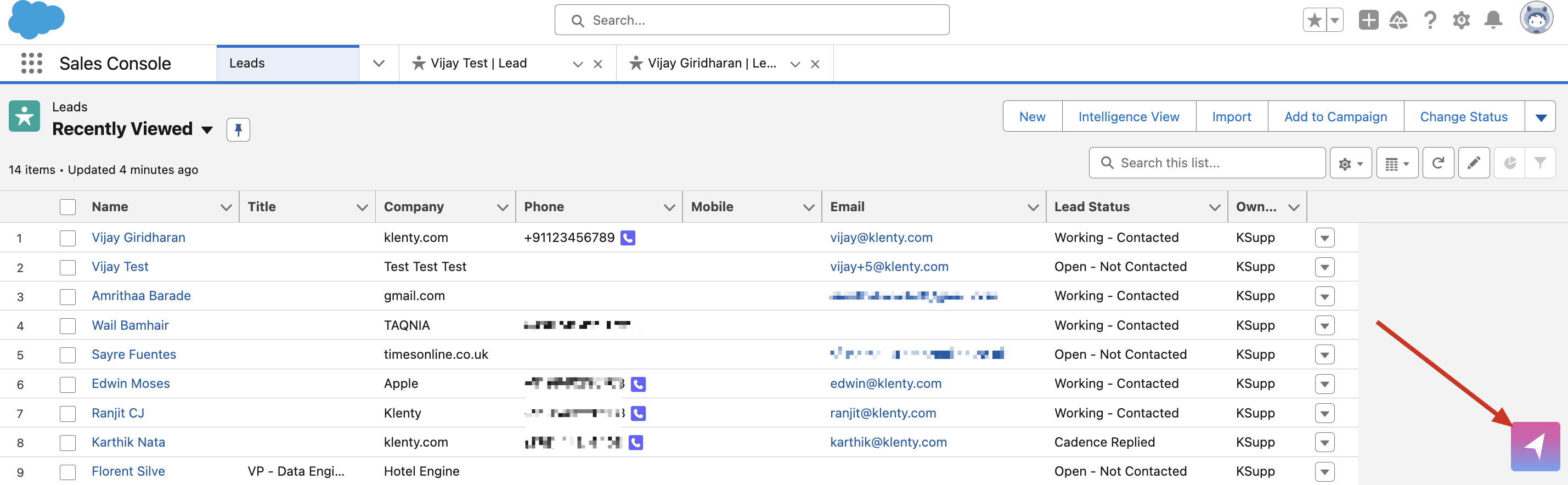
When you open Leads/Contacts/ Accounts as an overview, the Klenty dialer icon shows up next to the Phone number.

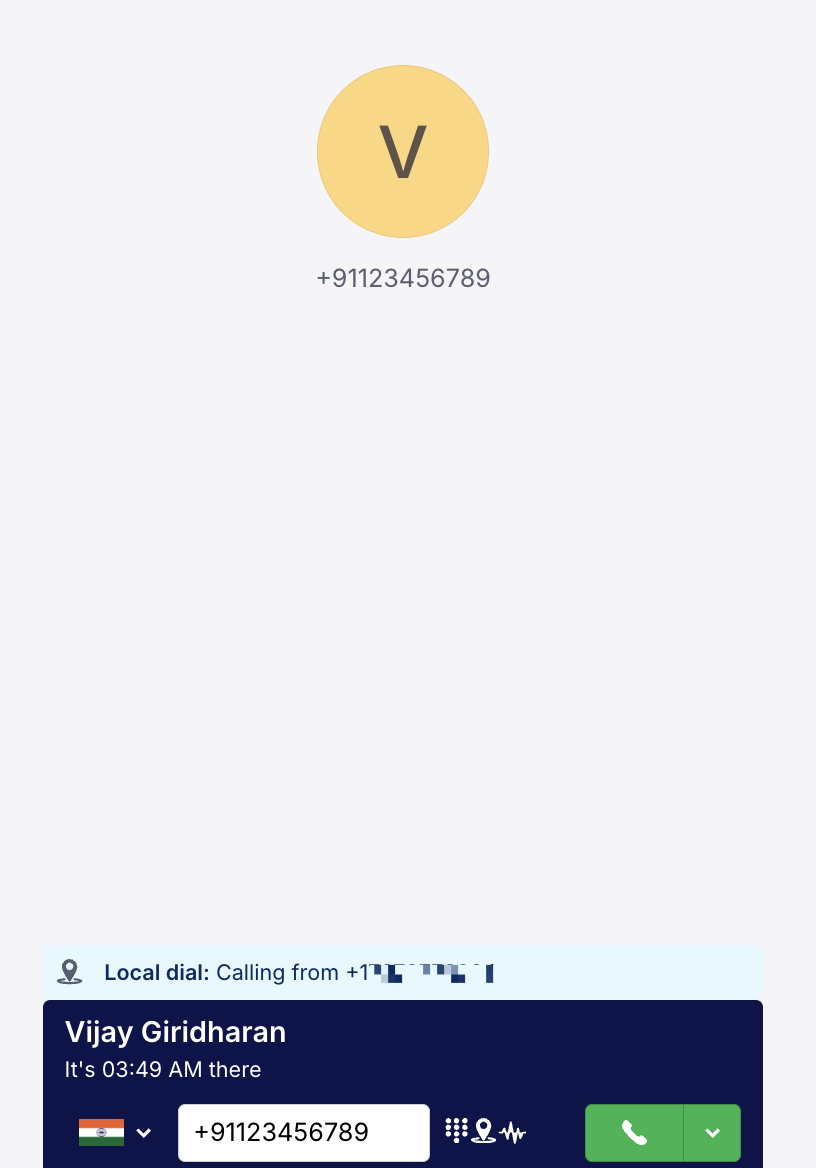
Clicking on it, will open up the Klenty dialer as a pop-up to make calls from Salesforce.
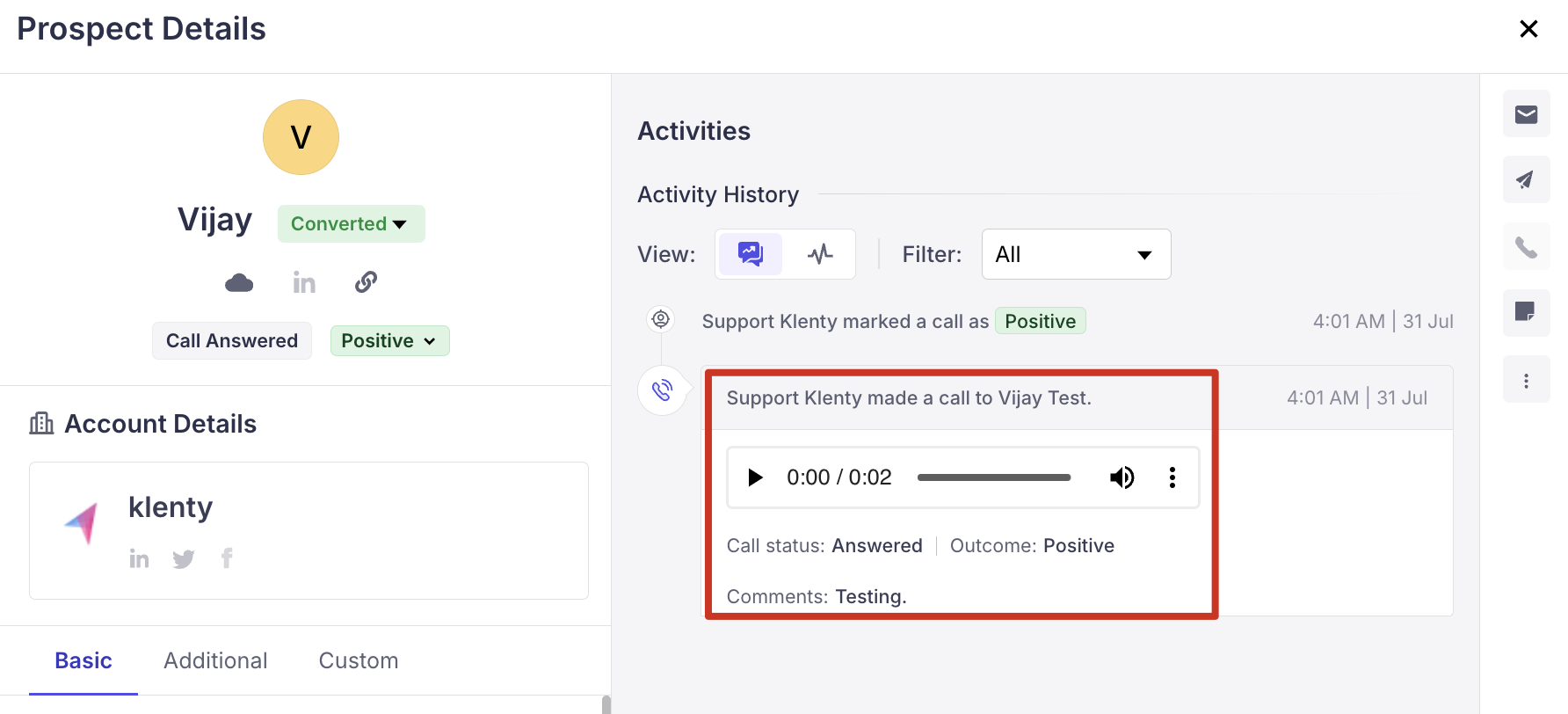
After the call, the call details will be synced to the Prospect's activity history as well Calls completion section.
The one-off calls can be initiated by opening the floating dialer icon on the left.
Frequently Asked:
Why am I unable to find the dialer window in Salesforce?
Instead of the dialler opening within the Salesforce window, it might open in a new tab. It would mostly happen in MAC devices. It is observed when the browser is kept in full-screen mode.
Why can't I find the calls made via the plugin recorded for the Prospect?
It seems that occasionally, the calls will be saved as one-off calls in Klenty, that might prevent the data from syncing to the correct prospect. This might occur if you have previously connected a different CRM account in Klenty. We recommend reaching out to support to rectify this issue.
Why can't I find the call icon when we open the Lead/Contact/Account?
The icon will be accessible from the overview section rather than when you open an individual Lead/Contact/Account.
More Related Articles: