
You connect Gmail or Google Workspace (GSuite) by signing in with Google. You don't need to enter server settings.
Where to find it
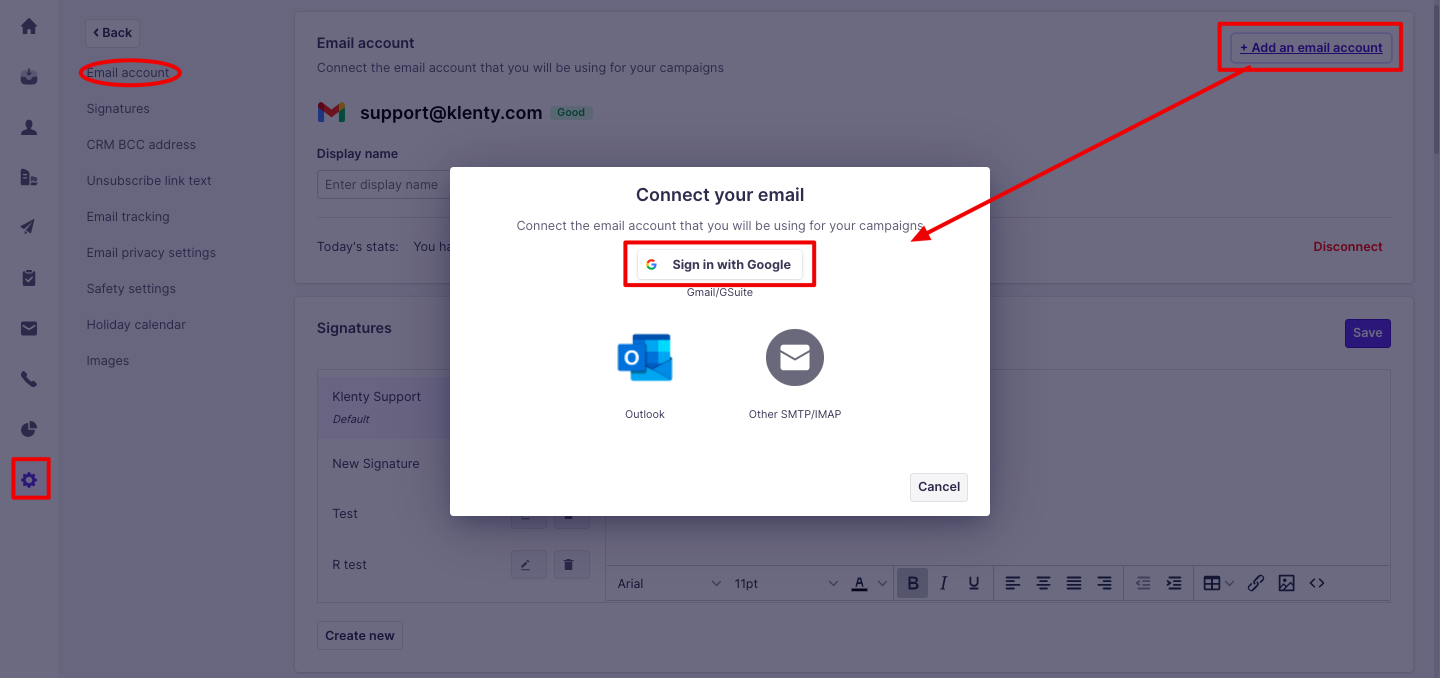
Settings → Email → Email account → + Add an email account
How to connect
Click + Add an email account. The Connect your email window opens.
Choose Sign in with Google.
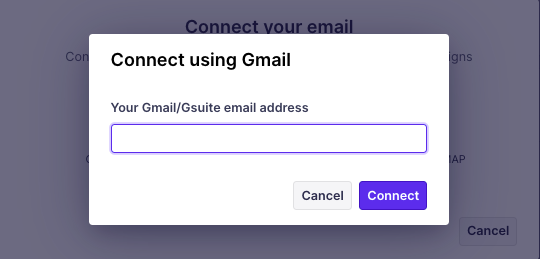
Enter your work email address.
Click Connect with Google.
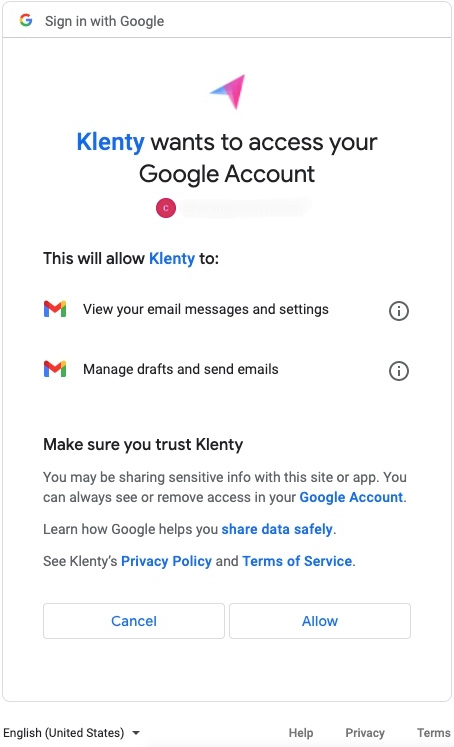
Sign in, and click Allow to give Klenty access to your mailbox.
When it works you'll see "Email connected successfully", and the mailbox shows the status Good.
Good to know
You must use a work email. Personal addresses such as gmail.com can't be connected. You'll see Please connect your work email to Klenty!
A mailbox can be connected to only one Klenty user.
The number of mailboxes you can connect depends on your plan.
If your mailbox shows "The connection to Gmail has expired. Please reconnect.", click Re-connect.
If you connect over SMTP/IMAP instead and 2-factor authentication is on, you need an app password. See How do I connect my Email Account using SMTP/IMAP?
Display name, signature and daily limits are set on the mailbox. See How do I change the display name that my Prospects see?, All about signatures and Email account and Email limit.
Having trouble? See Handling Email Connection Errors.