If you aren't using Gmail or Outlook, connect your mailbox with SMTP and IMAP. SMTP sends emails on your behalf, and IMAP lets Klenty track replies. IMAP is required, because without it Klenty can't see replies and may keep sending follow-ups.
A work email address. Personal addresses such as gmail.com, yahoo.com and hotmail.com can't be connected. You'll see Please connect your work email to Klenty!
IMAP enabled on your email account.
The hostname and port number for SMTP and IMAP. Your email provider or IT team can give you these.
If two-factor authentication (2FA) is on for the account, an app-specific password to use instead of your regular password.
Go to Settings → Email → Email account and click + Add an email account.
In Connect your email, click Other SMTP/IMAP.
Enter your Username and Password and click Connect. Klenty tries to work out the server settings for your domain. Built-in settings exist for Zoho, GoDaddy, Rackspace and Yahoo.
If that doesn't work, you'll see "Could not connect your account. Please enter your details below." Fill in:
SMTP Details: SMTP host, port and Use SSL if needed.
IMAP Details: IMAP host and port.
Tick Use the same username and password if they're the same for both.
Click Connect. When it works, you'll see "Email connected successfully" and the mailbox shows the status Good.
To send from an alias address, see Can I send emails using an alias address?
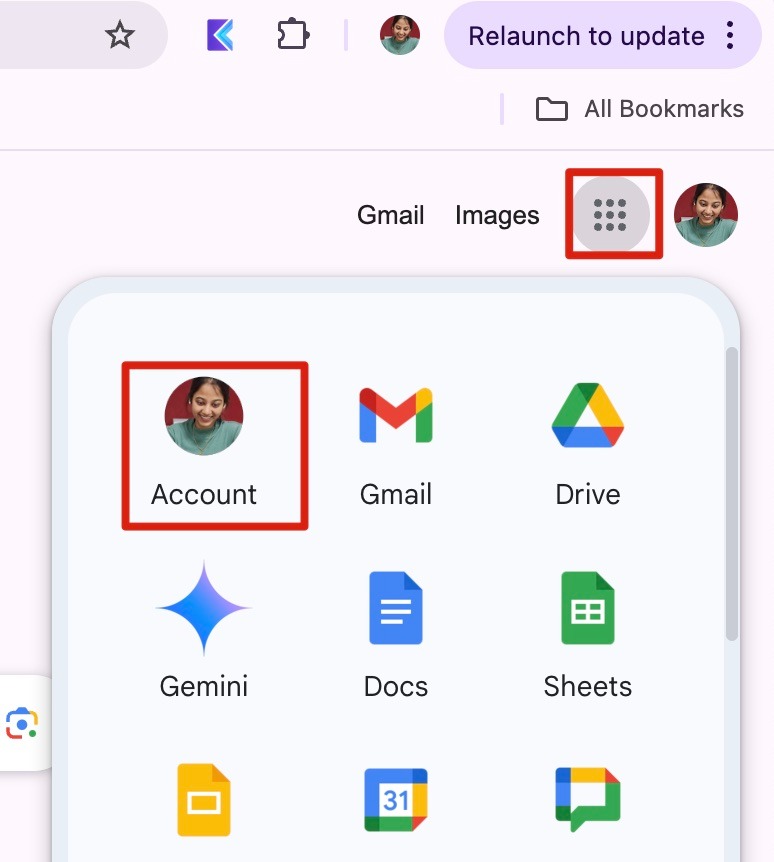
For Gmail and Google Workspace, the simplest way is to sign in with Google instead of SMTP/IMAP. See How do I connect my Gmail Account? If you do need to use SMTP/IMAP with a Google work account:
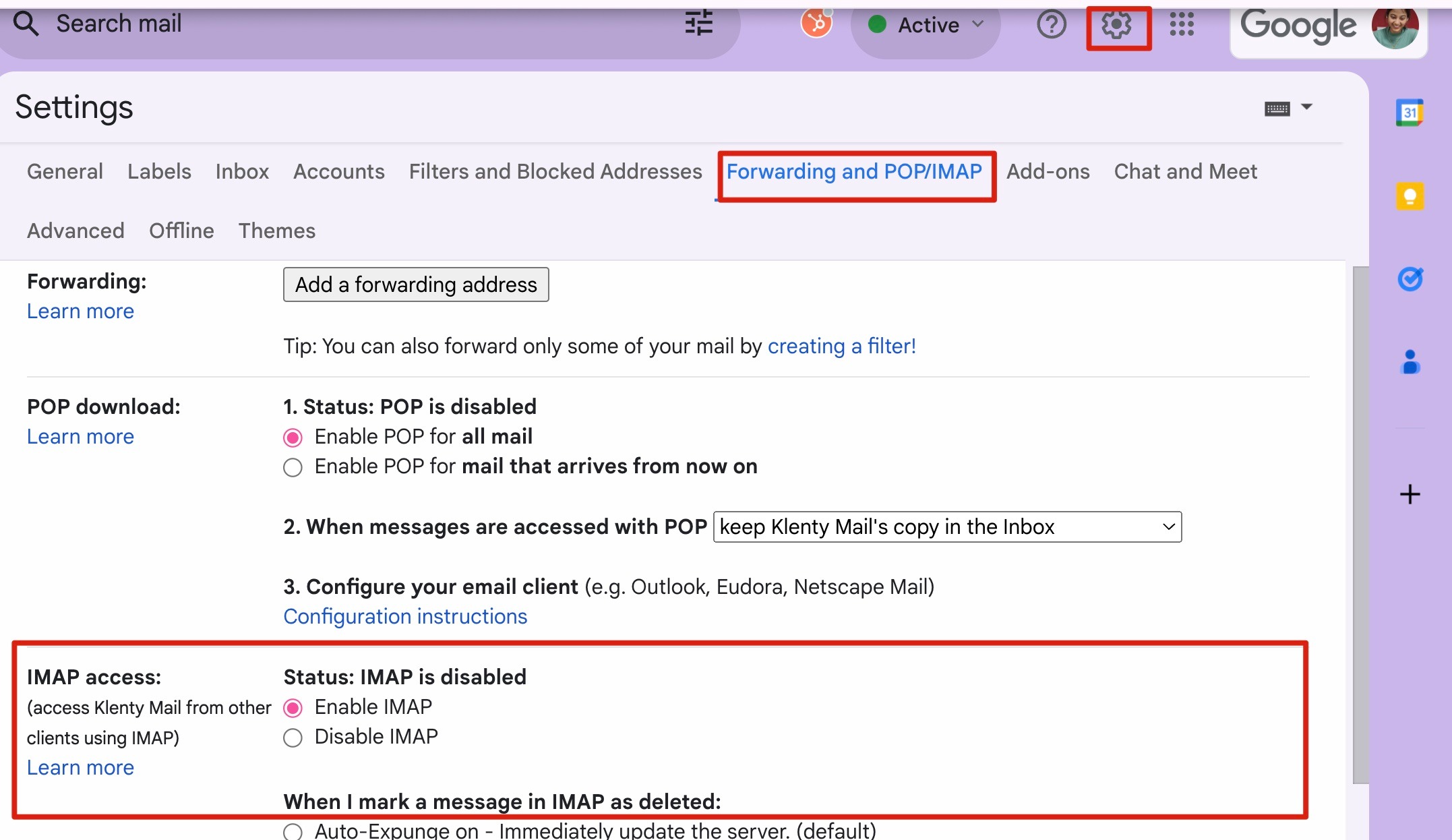
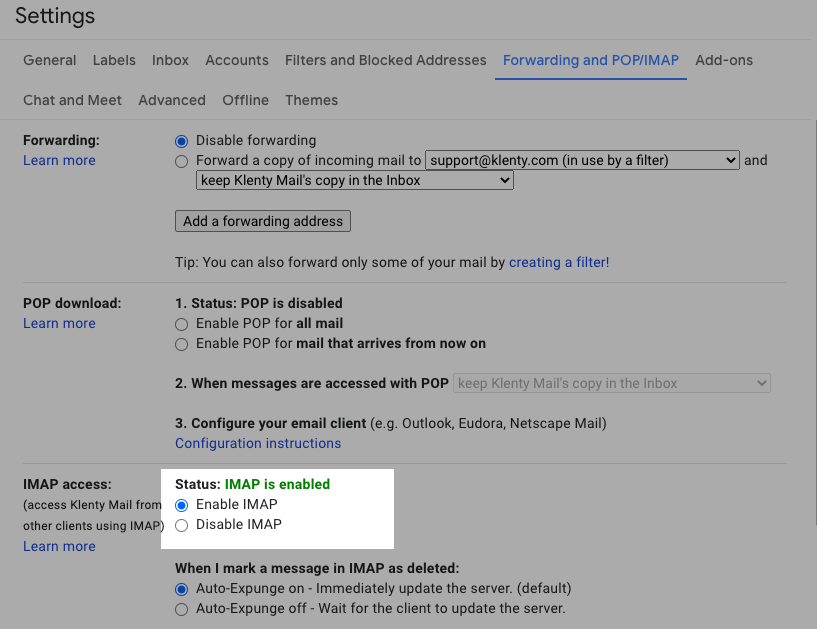
Check that IMAP is enabled. In Gmail, go to Settings → See all settings → Forwarding and POP/IMAP and turn on IMAP access.
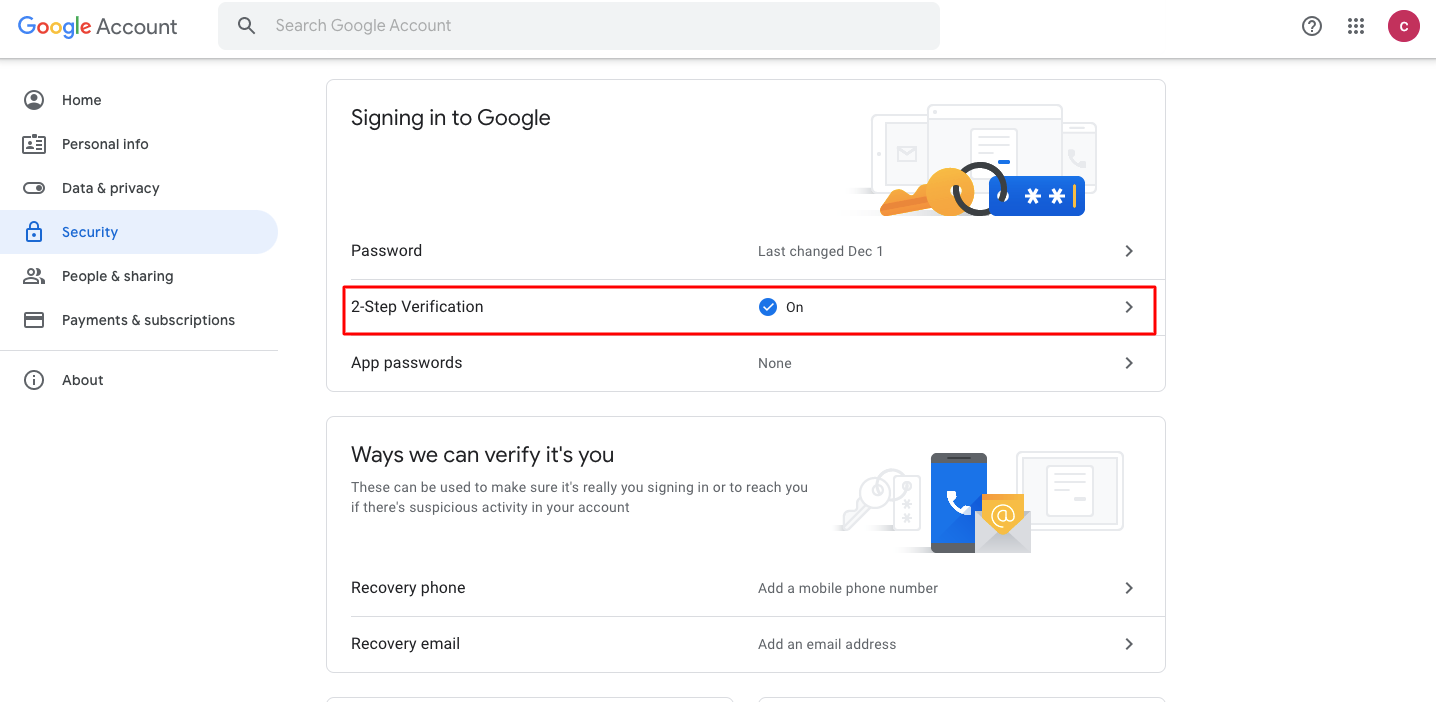
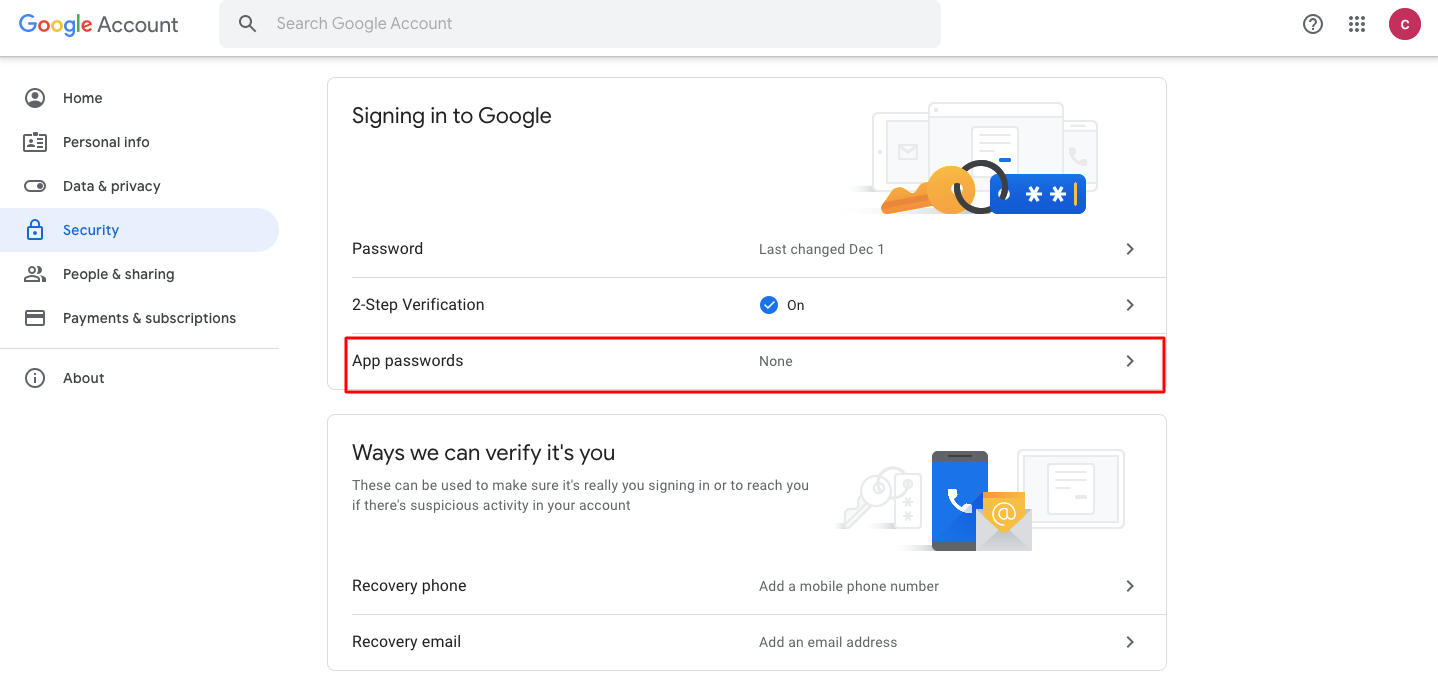
If 2-factor authentication is on, generate an app password and use it in place of your password.
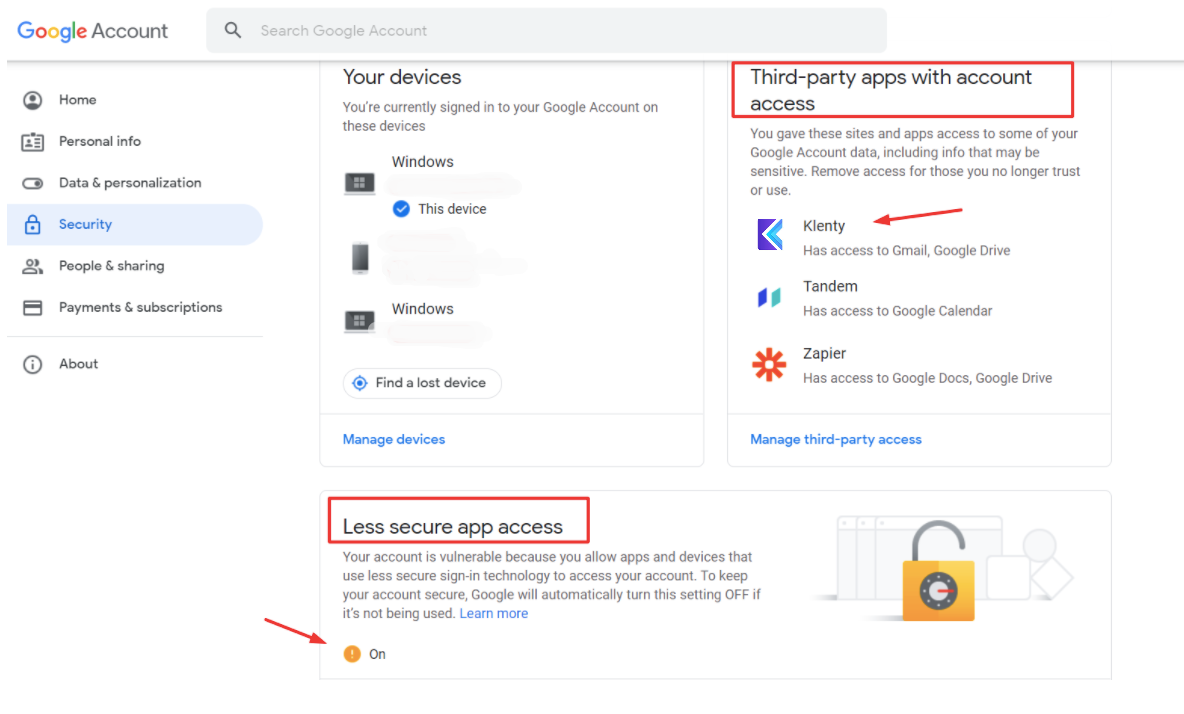
Make sure your Google admin hasn't blocked third-party app access.
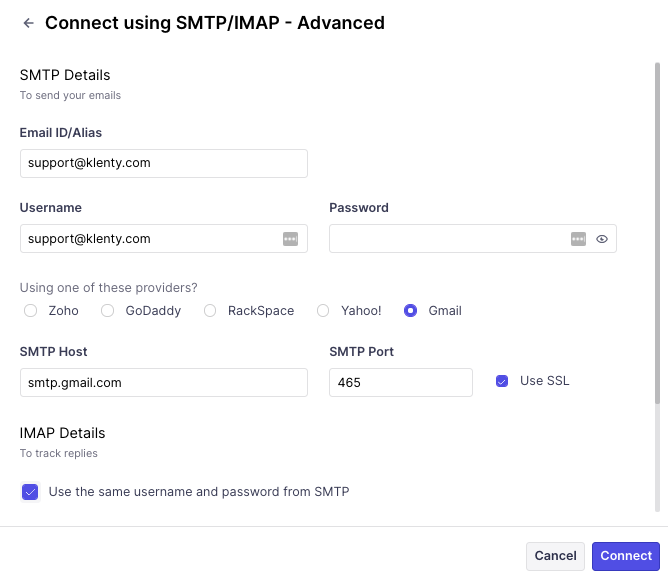
If 2-factor authentication is on and you're connecting over SMTP/IMAP, enter an app-generated password in the SMTP details. For most Outlook and Office 365 accounts, use the Outlook option instead. See How do I connect my Outlook Account?
The number of mailboxes you can connect depends on your plan.
A mailbox can be connected to only one Klenty user.
Use View or Change password on the mailbox to see or update the saved login.
If you see "Imap Connection Required Please Reconnect EamilId with Imap Details", reconnect the mailbox with IMAP details.
For other errors, see Handling Email Connection Errors.
