There are two ways to edit and personalize emails before they go out.
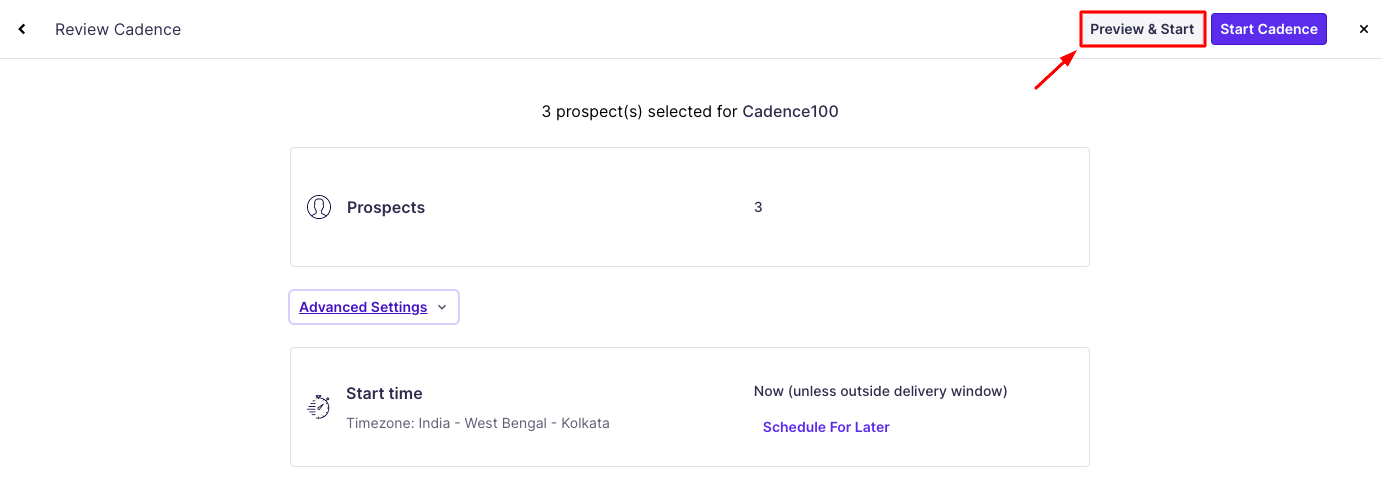
1. From Preview & Start
Before you launch a cadence, Preview & Start shows how it will look for each prospect. On the left are the prospects you're enrolling, and on the right you see how the cadence looks for the selected one.
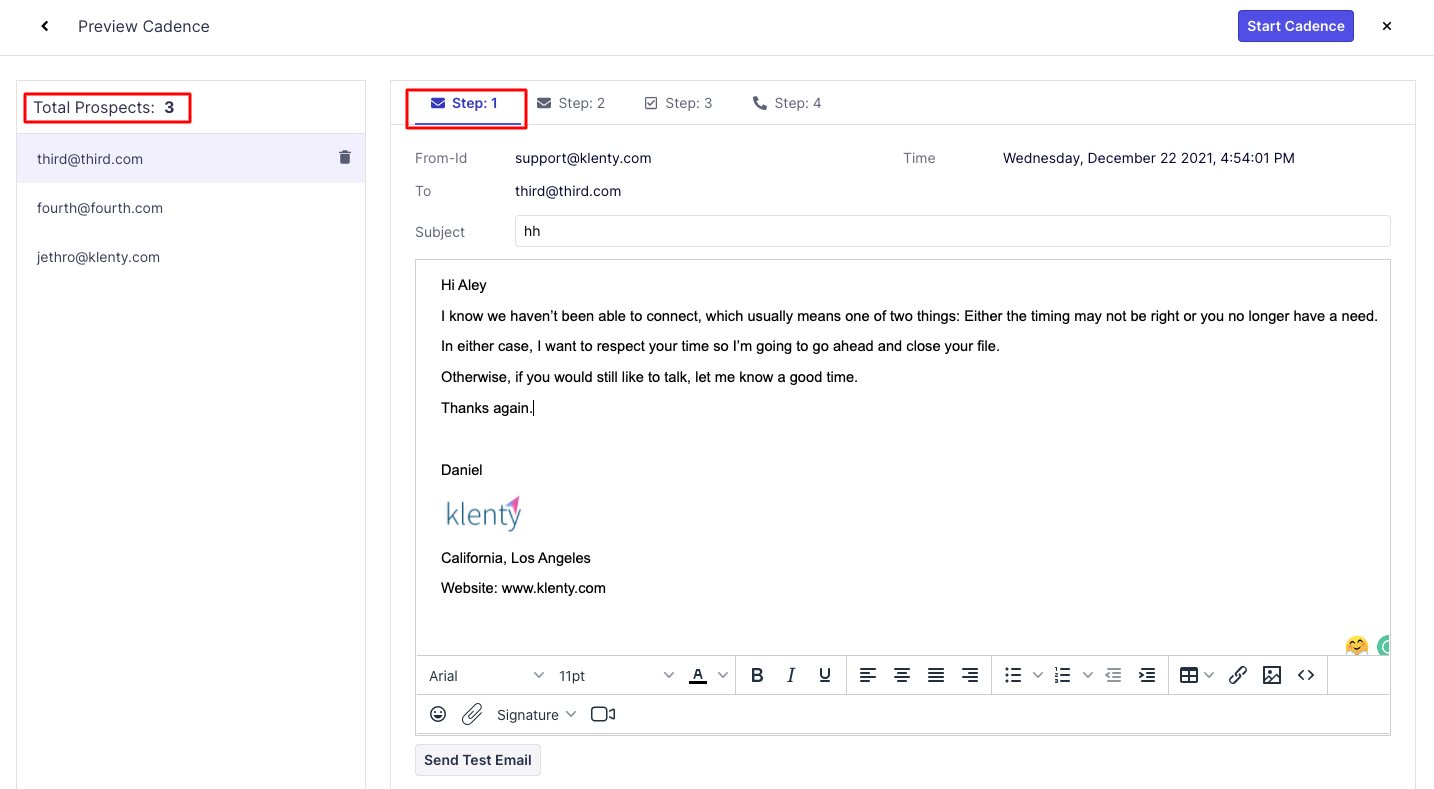
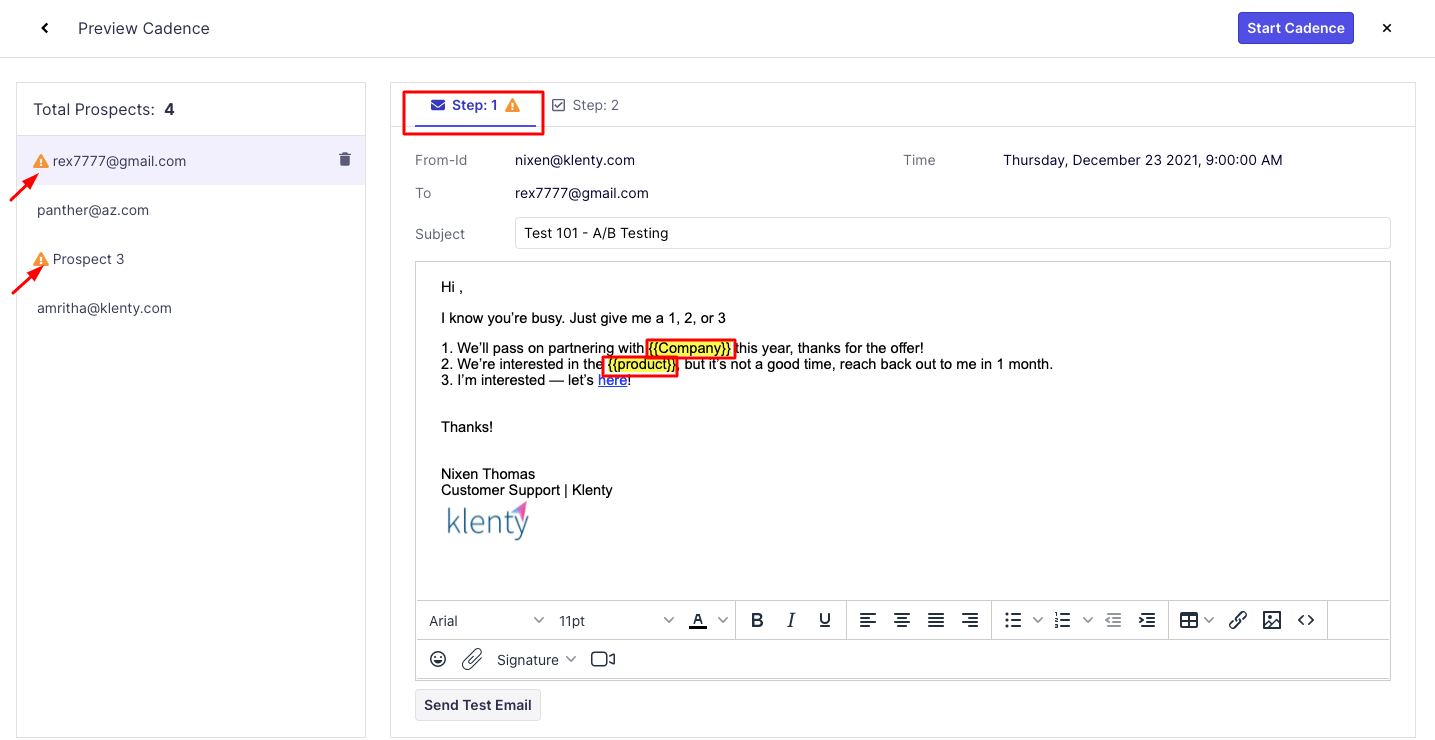
Edit any email to personalize it for a specific prospect.
If a placeholder wasn't replaced, an exclamation mark appears next to the prospect's name. Open that prospect and fill in the missing value. Klenty won't launch the cadence for a prospect whose placeholders aren't replaced.
2. From the Outbox
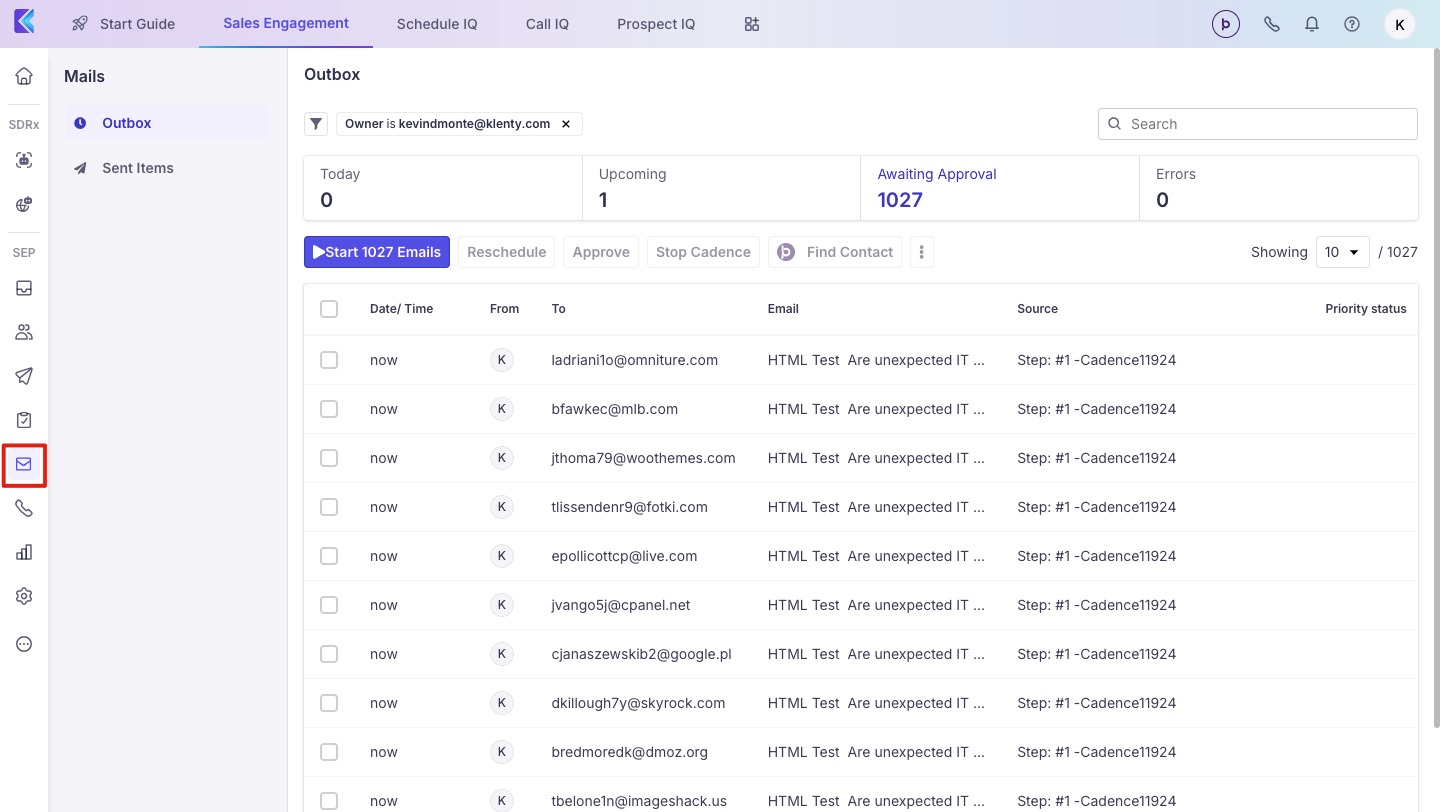
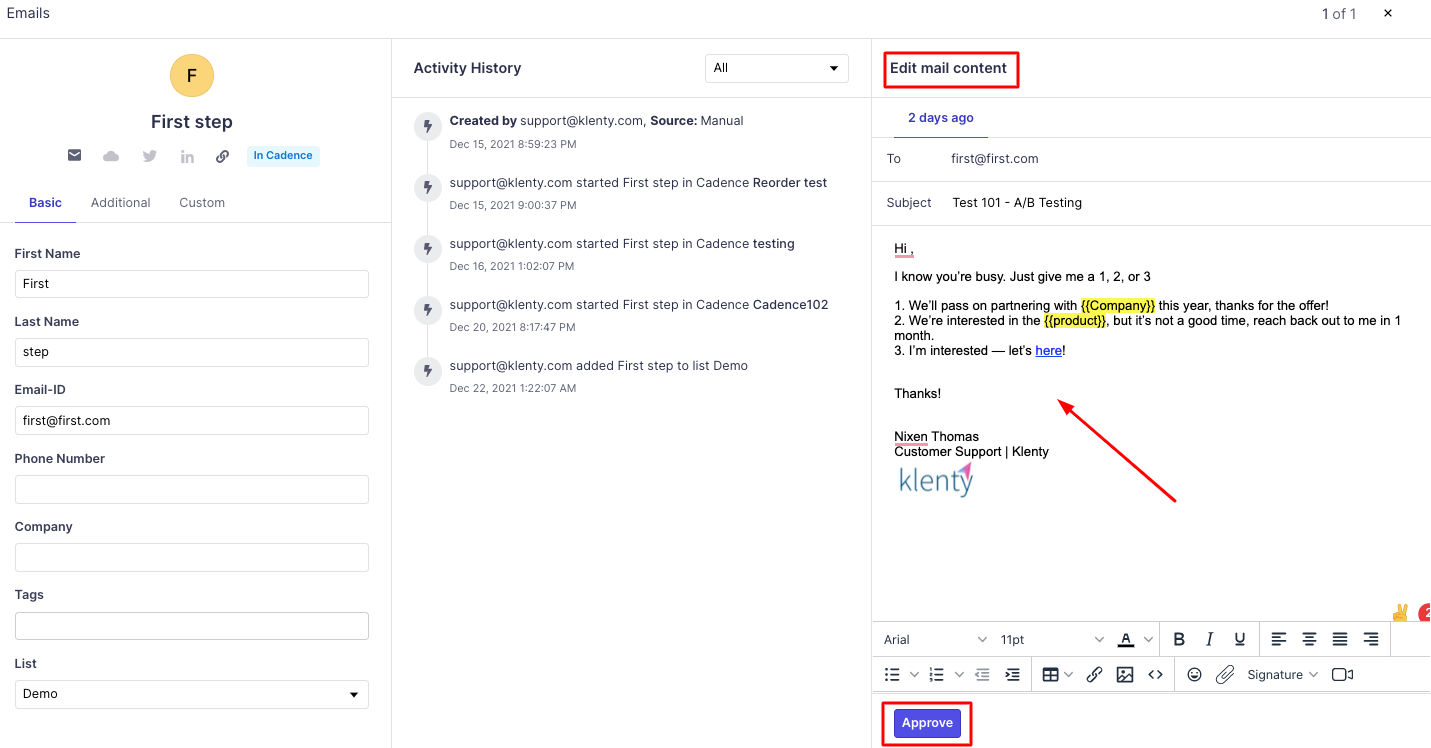
You can edit an email before it's sent while it's in Awaiting Approval or Upcoming.
Go to Mails → Outbox → Awaiting Approval (or Upcoming) and choose the email.